Browse channels
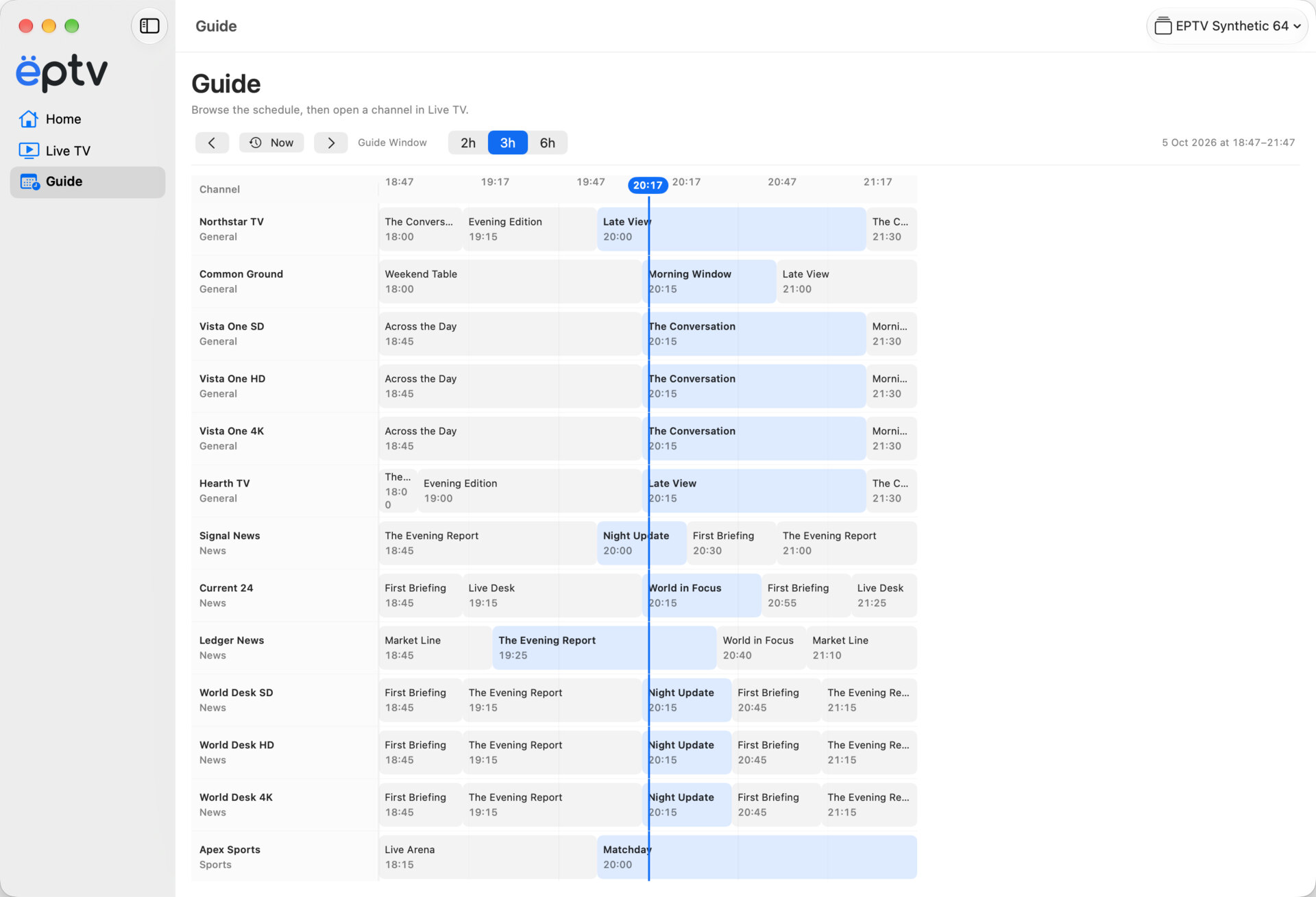
See what a channel is showing before you open it.


Add your IPTV playlist, find a channel, and start watching. Keep TV beside your work or give it the whole screen.
Not publicly released yet. Requires a Mac with Apple silicon and macOS 26 or later.
Browse channels with the keyboard, check the programme guide, and choose a player window that fits what you are doing.
You need your own IPTV playlist and permission to use it. EPTV does not include channels or subscriptions.
Home shows your Favorites, Recently Watched, On Now, and Starting Soon. Open Live TV to see all your channels. Use the Guide to compare programmes, or Search when you know what you are looking for.
See what a channel is showing before you open it.
Switch with the keyboard while watching, or return to the previous channel.
Your provider’s guide data adds current and upcoming programmes.
Add your playlists and choose the one you want to use. Refresh a playlist URL when the channels change, and manage its programme guide.
See how setup worksImport an M3U playlist from a URL or file. Add an XMLTV guide to see programme times, or restore a compatible EPTV snapshot. These options work in development builds; we will confirm the supported formats before release.
Watch in the main window or fullscreen. If you want to keep watching while doing something else, open the Floating Player.
Browse your lineup and watch in the main window.
Use the whole screen. Bring up the controls when you need them.
Keep a small TV window beside your work. This is EPTV’s own Floating Player, rather than the system Picture in Picture.
Missed the beginning? Choose Watch from Start when your provider supports it. Use Replay for earlier programmes available in its archive.
These options depend on your provider and the programme. EPTV does not record channels or make every live stream rewindable.
A programme may be halfway through even when the stream cannot be rewound.
Read about Start Over and ReplayThe Mac app is not publicly available yet. We do not have a public release date.